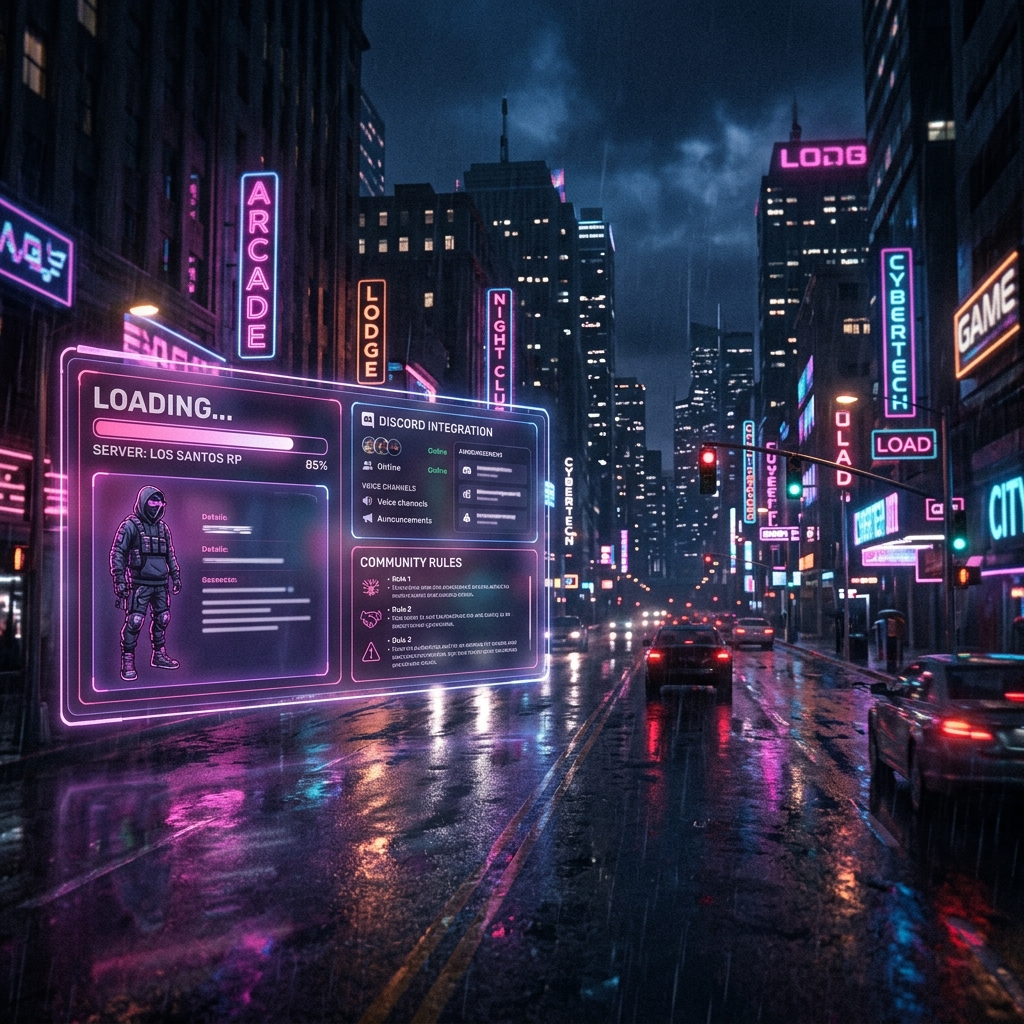
Custom artwork in server loading screens is defined as the deliberate use of branded visuals, animated UI elements, and community content to transform player wait time into an engaging, identity-driven experience. For GTA V roleplay server owners, the role of custom artwork in server loading screens goes far beyond decoration. A well-designed loading screen functions as a branding tool and informational dashboard, displaying live progress bars, community rules, Discord integration, and server-specific media during the 10–60+ second connection window. Loading screens are not decorative filler but essential psychological tools that manage wait-time perception and reinforce brand identity from the first second a player connects.
How Does Custom Artwork Improve Player Engagement and Server Quality?
Custom loading screen artwork directly reduces perceived wait time. Branded logos and geometric motion hold player focus better than static images, making waits feel shorter and the server feel more professional. That psychological effect is not trivial. Players who experience a polished, branded loading screen arrive in-game with a stronger sense of community identity already established.
The most effective loading screens combine visual quality with live data. Real-time displays like Discord member counts and staff status transform the loading phase from a passive wait into an interactive community portal. A player who sees 200 active members online and a staff team listed by name feels connected before they ever spawn in. That connection directly supports player retention.
Dynamic elements make a measurable difference in engagement:
- Live progress bars synced to actual FiveM connection events show real loading state, not a fake timer
- Rotating community tips teach server rules and lore without requiring a separate onboarding session
- Discord and social links give players an immediate action to take if the server is full or loading slowly
- Branded animations using server colors, logos, and character art create visual continuity between the loading screen and the in-game world
- Staff shoutouts and community spotlights reward active members and build a sense of belonging
Pro Tip: Rotate your community tips on a 6–8 second interval. Players who wait 30+ seconds will read three to five tips, which is enough to cover your most important server rules without a wall of text.
The importance of artwork in gaming is most visible at the loading screen stage because that is the only moment when the player has nothing else to do. Use it deliberately.
What Are the Technical Essentials for Custom Loading Screen Implementation?
Getting the technical foundation right determines whether your artwork enhances or hurts the player experience. The single most important technical decision is progress bar behavior. Syncing your progress bar to actual FiveM native connection states manages perceived performance far better than fake timers. A static image with no movement signals a crash to most players. A bar that visibly advances through connection, loading, and handoff states signals an active, healthy server.
Asset weight is the second critical factor. Assets over 5MB slow actual load times, which defeats the purpose of a polished loading screen. Keep primary visual assets under that threshold and use lazy loading for secondary media like background audio or supplementary animations.
The table below compares the two main implementation approaches server owners use:
| Factor | Manual Coding | Visual Editor Tool |
|---|---|---|
| Skills required | HTML, CSS, JavaScript, FiveM NUI knowledge | None; drag-and-drop interface |
| Implementation time | Several hours to days | Under one hour |
| Cost range | Developer hourly rates | $20 to $500+ depending on template tier |
| Customization depth | Unlimited | Limited to available components |
| Maintenance | Manual updates required | Template updates handled by platform |
Drag-and-drop editors reduce implementation time from hours to under an hour and support 40+ modular components. That speed matters for server owners who need to update branding for seasonal events or community rebrands without hiring a developer each time.
Define your technical specs before you touch any design tool. Resolution targets, responsive scaling behavior, and how the screen behaves during a stall or game handoff must all be documented upfront. Engine-specific requirements like 9-slice images and sprite atlases must be defined before production begins, not discovered during QA. Skipping this step is the leading cause of expensive revision cycles.
Pro Tip: Test your loading screen at 1920x1080, 2560x1440, and at least one ultrawide resolution (3440x1440) before launch. Visual breaks on nonstandard resolutions are one of the most common complaints from players and the easiest to prevent with a 20-minute pre-launch check.
For a deeper look at FiveM UI design principles, the technical decisions covered here connect directly to how players perceive your server's quality. Read more in our guide on FiveM custom UI design.
Best Practices for Sourcing and Commissioning Custom Loading Screen Artwork
Sourcing quality artwork requires preparation before you contact a single artist. A clear brief produces better work, fewer revisions, and lower total cost. Follow this process:
- Build a style guide first. Define your server's color palette, typography, and emotional tone before commissioning any art. A style guide gives artists a concrete target and eliminates the most common source of revision requests.
- Commission a pilot test asset. Investing in a pilot test asset and a comprehensive style guide cuts revision cycles by 25–40%. A single background or animated logo produced first lets you evaluate the artist's interpretation of your brief before committing to a full production run.
- Vet artists for UI and gaming experience specifically. General illustrators produce beautiful work that fails technically. Look for portfolios on ArtStation or specialized B2B marketplaces that show game UI work, not just character art or environment painting. UI artists understand resolution constraints, export formats, and layered file delivery.
- Provide wireframes before production. A wireframe showing where the progress bar, tip text, Discord widget, and background art sit on screen prevents artists from designing elements that conflict with functional UI components. This step alone eliminates a full round of revisions in most projects.
- Document all loading states in your brief. Specify how the screen should look during initial connection, mid-load, a stall state, and the final handoff to gameplay. Failure to document UI state transitions increases revision costs by 20–30%. Artists cannot design for states they do not know exist.
- Set a feedback cadence. Agree on review checkpoints at concept, rough draft, and final polish stages. Feedback given at the concept stage costs nothing to act on. Feedback given at the final polish stage costs significantly more.
This custom loading screen artwork sourcing guide applies whether you are working with a freelance artist, a small studio, or using a template platform. The discipline of clear documentation pays off at every tier.
What Are the Most Common Pitfalls in Custom Loading Screen Artwork?
Most loading screen failures are preventable. The problems below appear repeatedly across GTA V roleplay server projects, and each one has a direct fix.
- Using uncompressed video or audio assets. Overly large uncompressed media assets increase loading time, which is the opposite of the intended effect. Compress all video to web-optimized formats and keep audio files small or load them after the connection handoff.
- Neglecting platform-specific scaling. A loading screen that looks perfect at 1080p can break completely on ultrawide monitors. Missing technical briefs about format, resolution, and engine compatibility are the leading cause of UI art project delays. Define scaling behavior in your brief.
- Using static images with no feedback. A static screen with no progress indicator signals a server crash to most players. Dynamic feedback signals active loading and keeps players patient through longer connection times.
- Skipping community engagement features. A loading screen that shows only a background image misses the opportunity to build community connection. Discord links, player counts, and rotating tips cost very little to implement and deliver significant engagement value.
- Failing to document state transitions. Artwork that looks correct during normal loading can break visually during a stall or at the handoff to gameplay. Document every state before production begins.
Pro Tip: Create a pre-launch checklist that covers asset file sizes, resolution tests at three screen sizes, progress bar sync verification, and a stall-state visual review. Running this checklist takes 30 minutes and prevents the most common post-launch complaints.
For inspiration on unique UI design ideas that avoid these pitfalls, check out our guide on unique UI design ideas for GTA RP servers.
Key Takeaways
Custom artwork in server loading screens delivers the strongest return when technical precision, clear sourcing practices, and community engagement features work together from the start.
| Point | Details |
|---|---|
| Sync progress bars to real events | Connect your bar to FiveM native connection states, not fixed timers, to signal active loading. |
| Keep assets under 5MB | Uncompressed media increases actual load time; compress all assets and lazy-load secondary files. |
| Document all loading states upfront | Define initial load, mid-load, stall, and handoff states before commissioning any artwork. |
| Use a pilot test asset | A single test piece cuts revision cycles by 25–40% and validates your style guide before full production. |
| Add community engagement features | Discord links, staff status, and rotating tips transform passive wait time into active community connection. |
Why Loading Screens Are the Most Underrated Part of Server Identity
Server owners spend months building interiors, scripts, and economy systems, then ship a default loading screen. That decision costs more than most people realize. The loading screen is the only moment in the entire player experience where you have 100% of someone's attention with zero competition from gameplay. They cannot drive, shoot, or talk to NPCs. They are just waiting, and whatever you put in front of them becomes their first real impression of your server's quality.
I have seen servers with genuinely excellent roleplay communities lose new players in the first 30 seconds because the loading screen looked abandoned. Players make quality judgments fast. A blank or generic screen tells them the server owner does not care about details. A branded, animated screen with live community data tells them the opposite.
The servers that hold player loyalty long-term tend to update their loading screens seasonally. A winter-themed screen in December, a special event screen for a server anniversary, a redesign when the community rebrands. These updates signal to returning players that the server is alive and evolving. That signal matters more than most server owners expect.
Community-generated content on loading screens, such as player spotlights or staff shoutouts, adds another layer. Players who see their own name or character art on the loading screen become advocates. That kind of organic loyalty is hard to manufacture through any other means.
The technical work is real, but it is not the hard part. The hard part is deciding to treat the loading screen as a first-class part of your server's identity rather than an afterthought. The servers that make that decision consistently outperform those that do not.
Vice-Forge Makes Custom Loading Screens Accessible for Every Server Owner
Building a professional loading screen no longer requires a developer on retainer. Vice-forge gives GTA V roleplay server owners a drag-and-drop builder with 40+ modular components, professionally designed templates, and instant cloud deployment. You can add your server name, branded backgrounds, Discord widgets, and community content without writing a single line of code.
Start Building Your Custom Loading Screen
Vice-forge templates are continuously updated, so your screen stays current without manual maintenance. Server owners report significant time savings compared to manual builds, with most custom screens going live in under an hour. If you want to see what a professional loading screen looks like for your community, Vice-forge offers a free build to get started.
Create Loading Screen FreeFAQ
What is the role of custom artwork in server loading screens?
Custom artwork in server loading screens manages player wait-time perception, reinforces server brand identity, and delivers community information during the 10–60+ second connection window. It transforms a passive wait into an active, branded experience.
How do I keep my loading screen from slowing down my server?
Keep primary assets under 5MB and use lazy loading for secondary media like audio and supplementary animations. Uncompressed video and audio are the most common causes of loading screens that increase actual connection time.
Do I need coding skills to build a custom loading screen?
No. Drag-and-drop visual editors support 40+ modular components and reduce implementation time to under an hour, with no HTML, CSS, or JavaScript knowledge required. Vice-forge is built specifically for server owners without coding backgrounds.
What should I include in a loading screen brief for an artist?
Include your color palette, typography, emotional tone, wireframe layout, and documentation of all loading states including stall and handoff states. Providing this upfront cuts revision cycles by 25–40% and keeps production on schedule.
How often should I update my loading screen artwork?
Update your loading screen at minimum for major server rebrands and seasonal events. Periodic updates signal to returning players that the server is active and well-maintained, which directly supports long-term player retention.